 Llama Factory
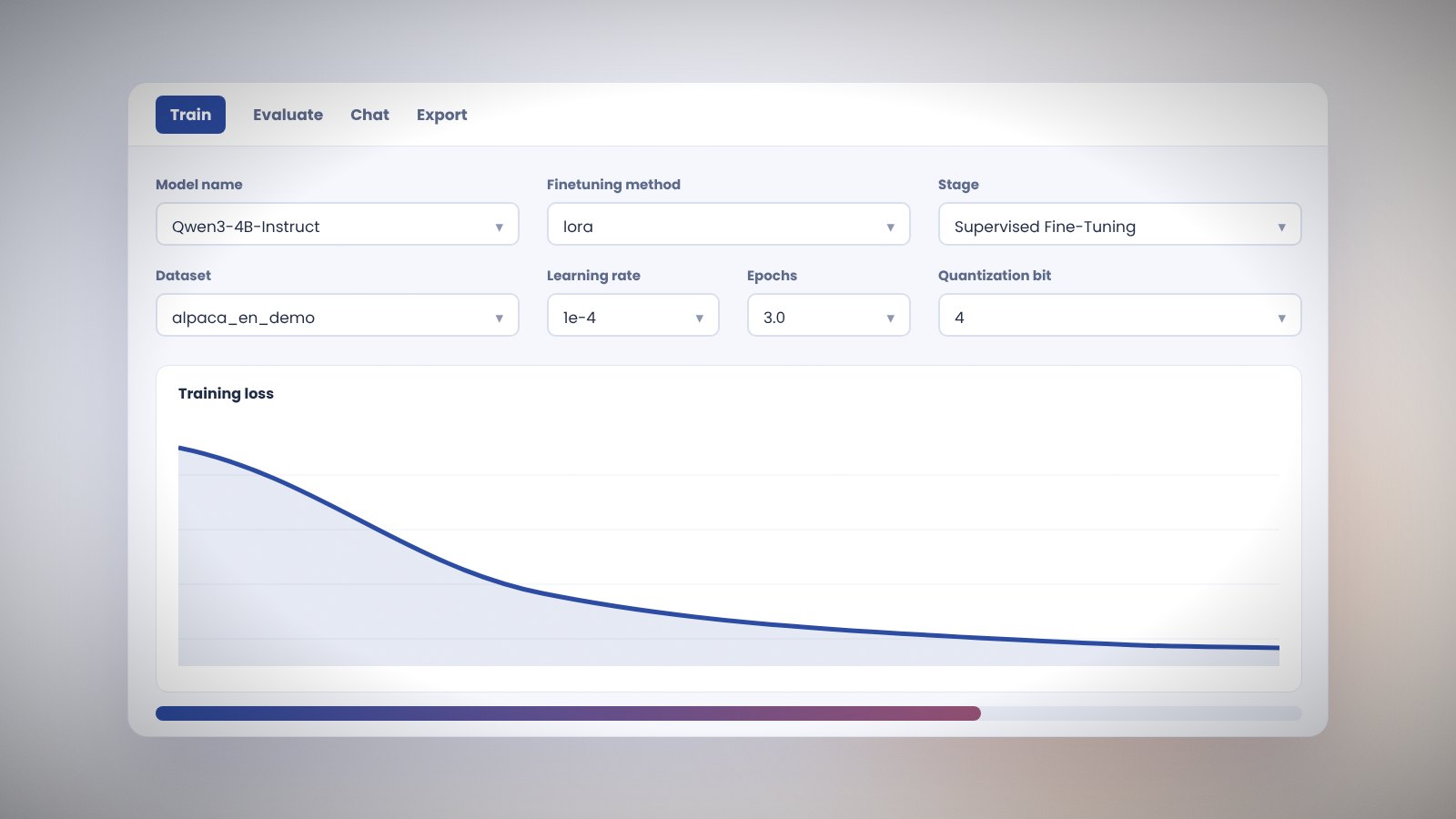
LLaMA Board is the web interface bundled with Llama Factory. It exposes the same options as the YAML configs through dropdowns and fields, so you can run a complete fine-tune without editing files.
Start the Llama Factory web UI
llamafactory-cli webuiThe server listens on port 7860. Set GRADIO_SHARE=1 for a temporary public link or GRADIO_SERVER_PORT to change the port. The language switcher in the top-left supports English, Chinese, Korean, Russian and Japanese.
Llama Factory Train tab
Pick a model name from the list and the path fills in automatically. Choose the finetuning method (full, freeze or lora) and the stage (pre-training, supervised fine-tuning, reward modeling, PPO, DPO, KTO).
Select one or more datasets. The Preview button shows rendered samples. Set learning rate, epochs, cutoff length and batch size. Advanced panels hold LoRA rank, quantization bit, RLHF settings and logger choices.
Press Preview command to see the exact CLI call the UI will run. Press Start to begin. The loss curve updates live and the log stream shows every step.
Llama Factory Evaluate and Predict tab
Run evaluation on a held-out dataset and compute ROUGE and BLEU scores, or generate predictions to a file for manual review.
Llama Factory Chat tab
Load the base model with an adapter path and talk to it directly. Switch the inference engine between Hugging Face and vLLM. Temperature, top-p and max tokens are adjustable.
Llama Factory Export tab
Merge an adapter into the base model, optionally quantize to 2 to 8 bits with GPTQ, and save or push to the Hugging Face Hub.
Llama Factory web UI tips
- Every run writes a config to the output folder. Load it later with the config picker.
- Use the Save arguments button to keep a YAML copy you can run with the CLI.
- Run the web UI on a remote server and open it through an SSH tunnel if the port is not exposed.